
Everything your reps do in the field, in one place
SyncDistro digitizes the routes, visits and orders of the reps who call on neighborhood shops, grocery stores and supermarkets.
Where it starts
Field information gets lost between paper notes and scattered tools
When every visit is jotted down in a different notebook, chat or spreadsheet, the team loses time and the company loses sales.
Duplicate customers
The same business gets recorded several times with different details, and nobody knows which record is the right one.
Documents that go missing
Tax documents, storefront photos and contact details end up loose on the rep's phone.
Opportunities with no follow-up
An interested customer asks the rep to come back in two weeks, and that commitment never reaches any system.
No visibility for management
With no data on visits made or routes completed, running the team turns into a hallway conversation.
How it works
From planning the route to the order landing in your ERP
One continuous flow between the office and the street, with nothing retyped from system to system.
Step 1: Plan the route
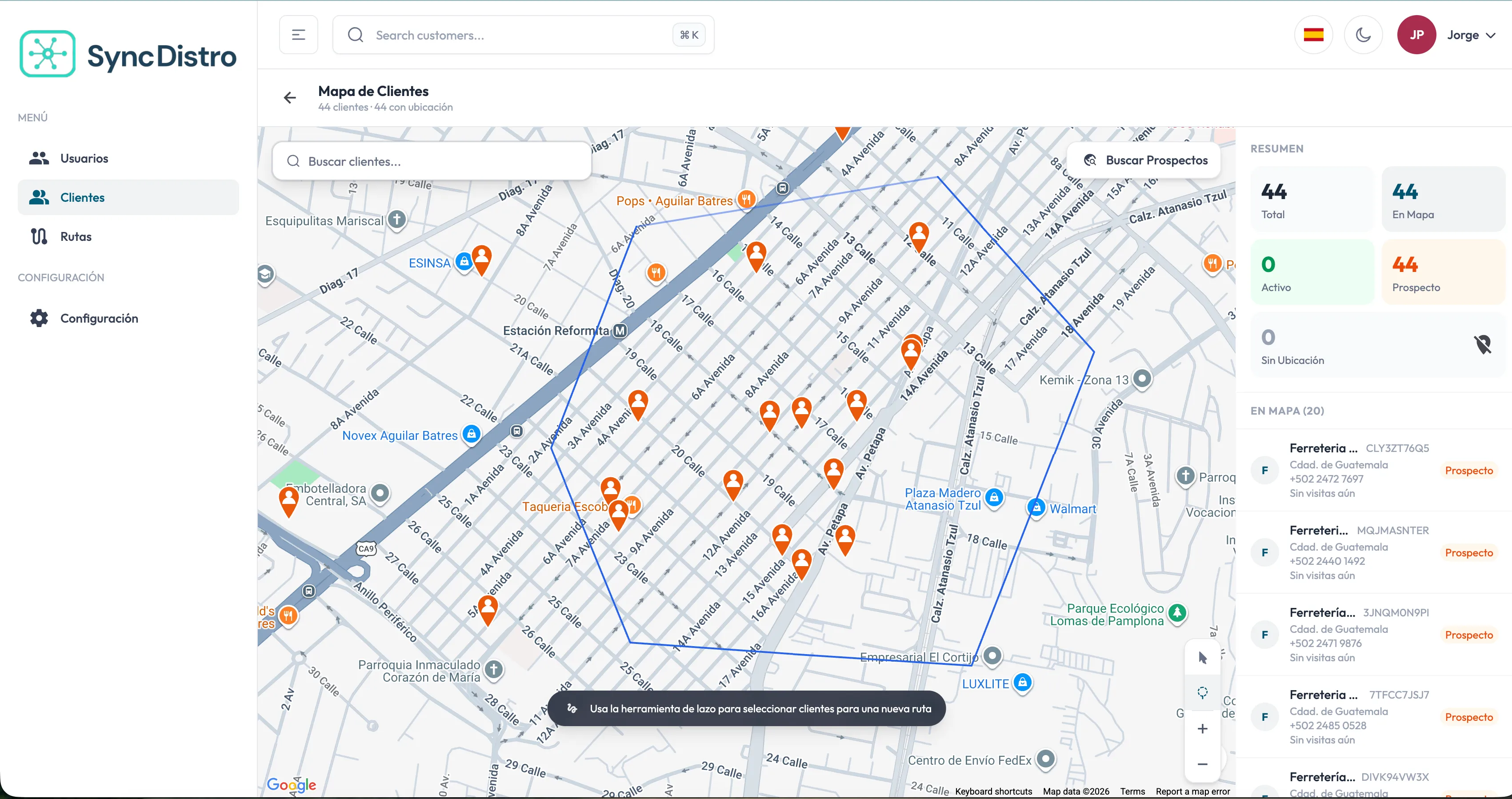
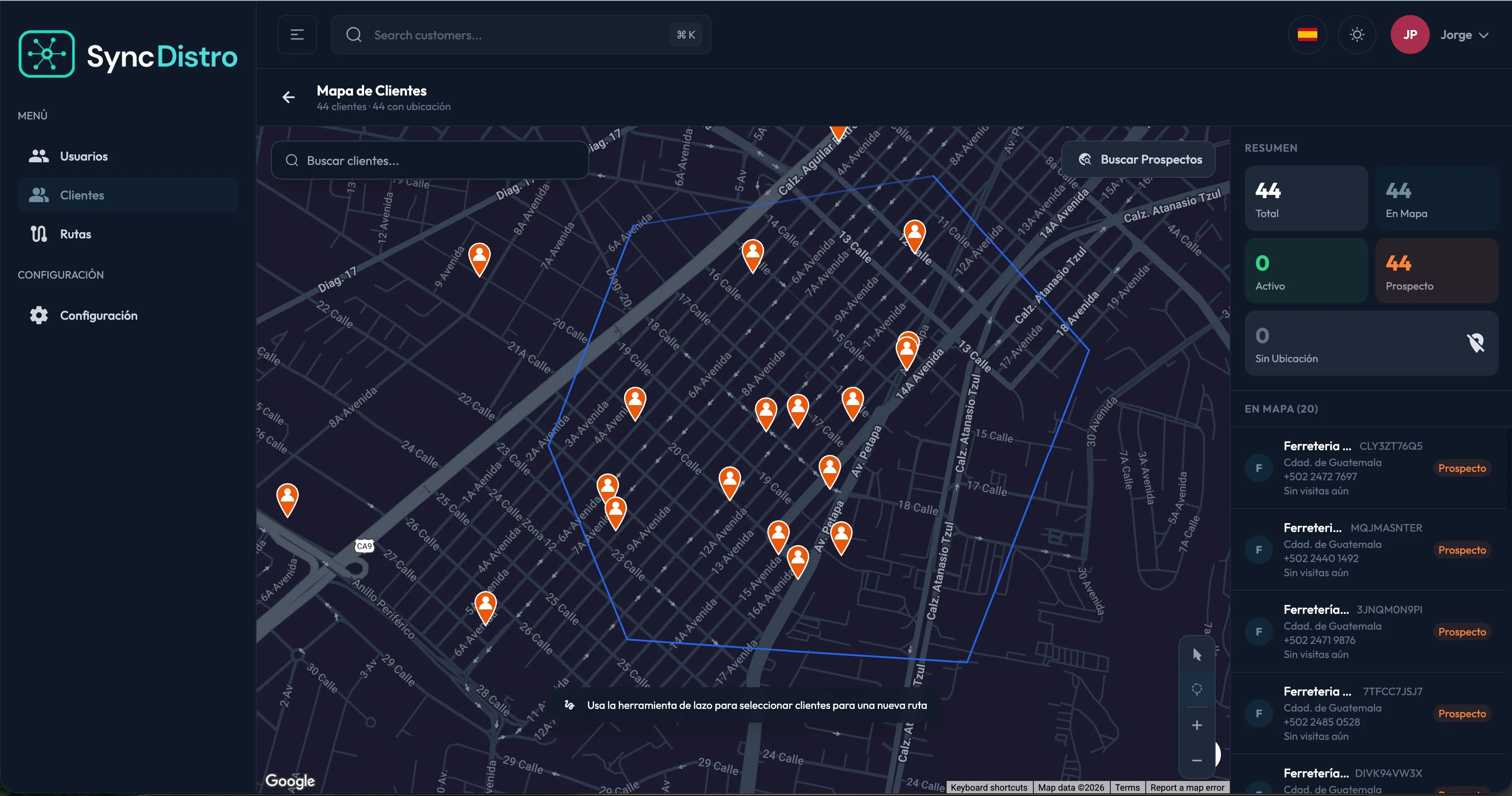
On the web system map you pick customers and prospects — one by one or in bulk with the lasso tool — and SyncDistro works out the best visiting order.
Step 2: Assign it to a rep
The route is assigned to a rep with an execution date. It can be edited, reassigned or cancelled before it starts.
Step 3: Run the route and log the visit
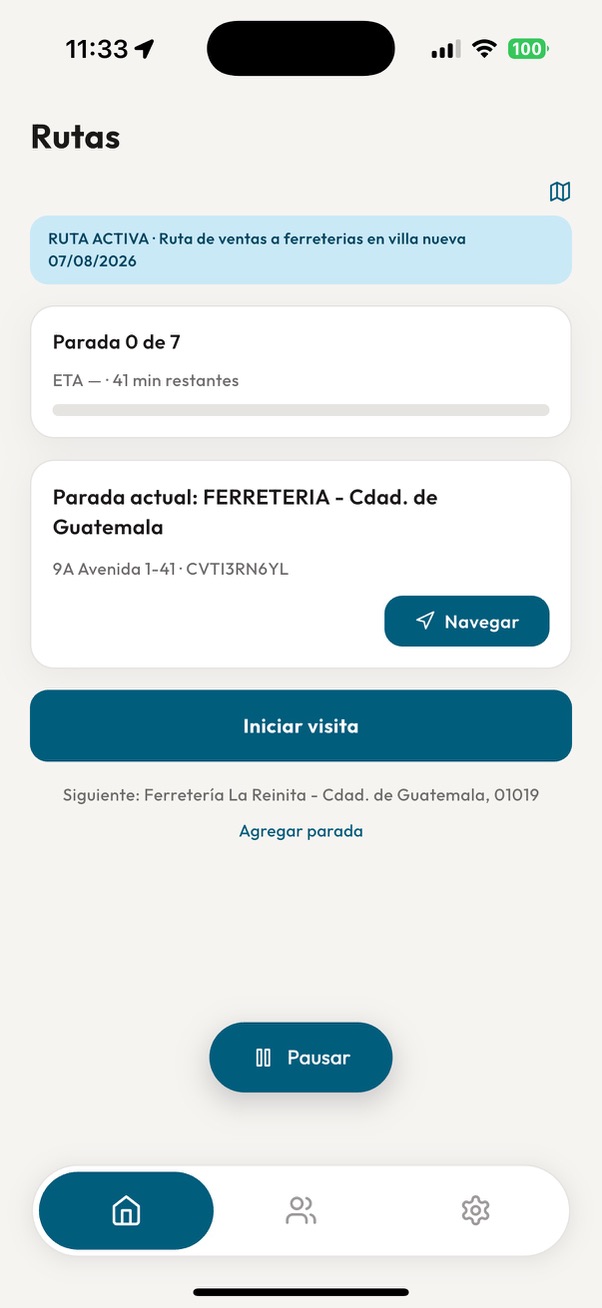
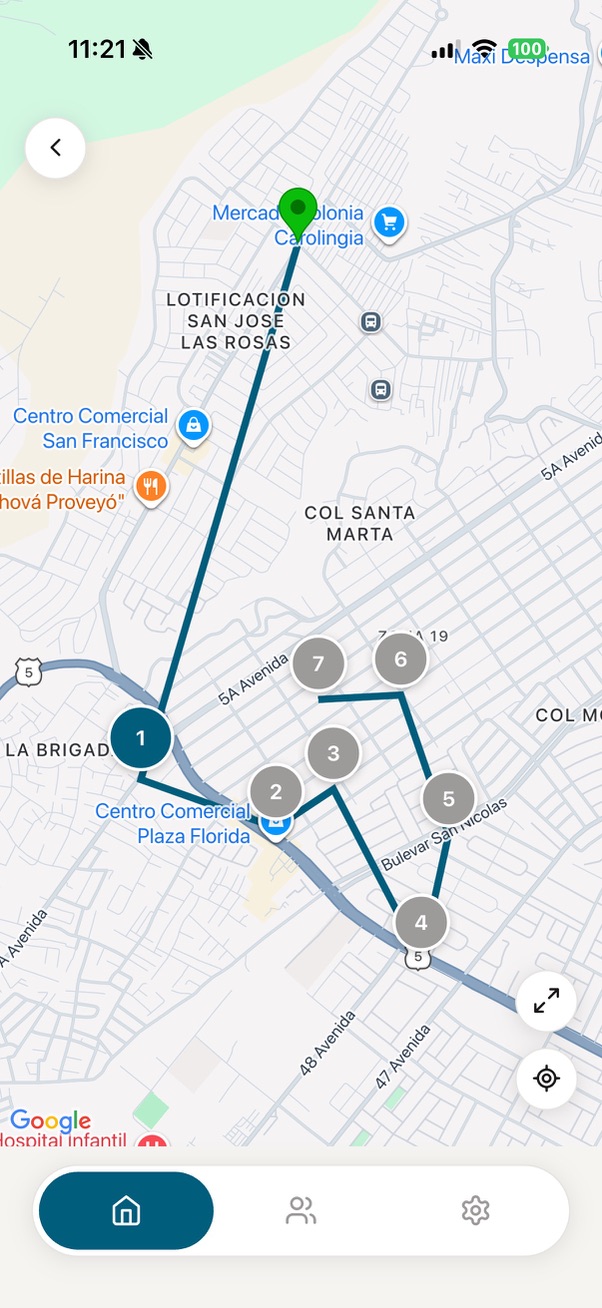
The rep sees the route on the map, navigates to each stop, starts the visit and records the outcome: sale closed, interested, follow-up pending, not interested, business closed or nobody available.
Step 4: Record a note and let AI organize it
A voice note is transcribed automatically in Spanish or English, and AI proposes products, quantities, prices and follow-up actions for the rep to simply review and confirm.
Step 5: Send the order to the ERP
Once confirmed, the order is built and sent to your ERP, where invoicing, delivery and collection carry on as usual.
Done
Features
Everything SyncDistro covers
The modules the field team and their supervisors use every day.
Legal and trade name, business type, contact, address, tax details and coordinates taken from the address or dropped on the map.
Tax and commercial documents attached to the customer record, available to the whole team.
Search by name, address, phone or tax ID so the same business never gets created twice, with the option to import customers from an external CRM.
Pick customers on the map, get the visiting order calculated automatically, and track clear states: pending, assigned, in progress, completed or cancelled.
Start and end timestamps, visit outcome, notes, reason for no sale, and a follow-up date where relevant.
Automatic transcription in Spanish or English, plus analysis that identifies products, quantities, agreed prices and pending actions.
The order is built from the visit, the rep confirms it, and it goes to the ERP with delivery status and an audit trail.
The rep's live position while the route is active, the stored trail, timings, distance and an approximate fuel cost.
Invite colleagues by email, roles with distinct permissions, and data isolated per organization.
For the field team
An app built to be used standing at the counter
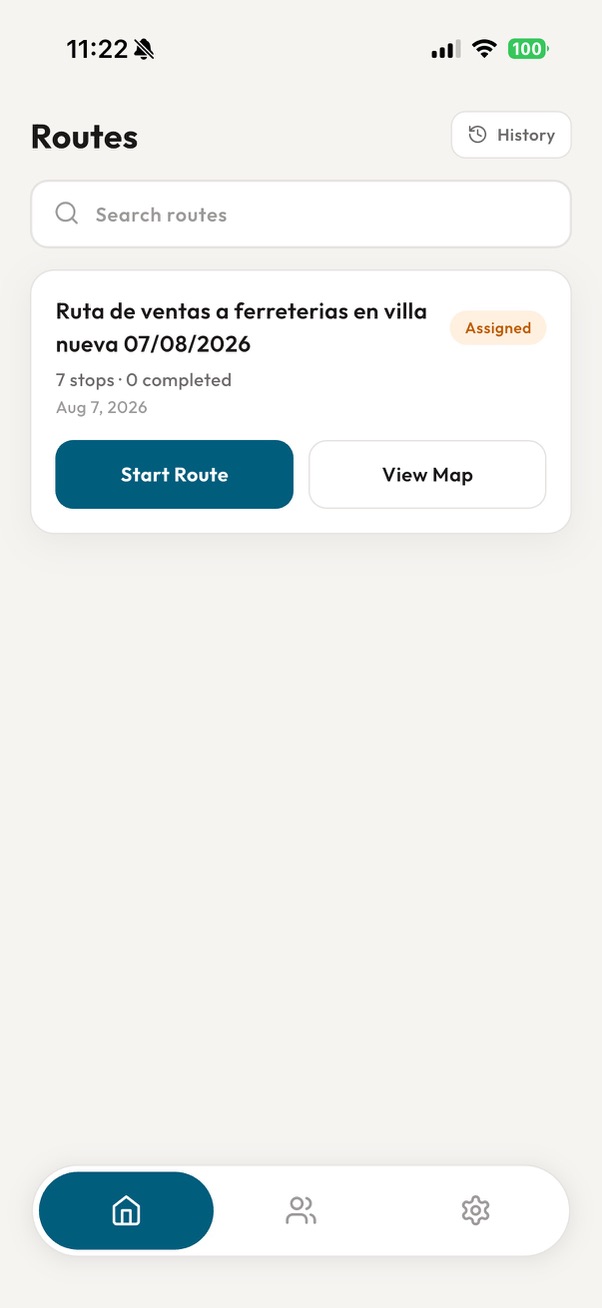
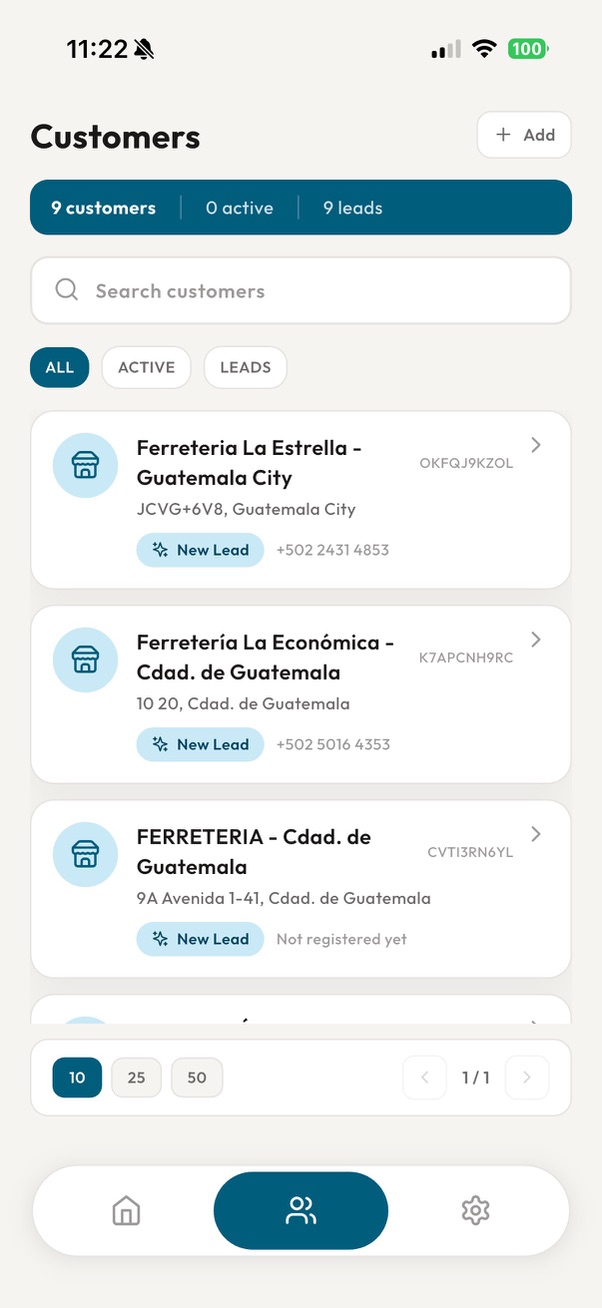
Mobile app for sales reps
Available on Google Play. Works with assigned routes, or on its own with just customers and orders.The day's route, in order
Suggested stops, every customer located on the map, and navigation to the next stop.
Visits in a few taps
Open and close the visit with its outcome, without endless forms.
Talk instead of typing
A voice note on the way out replaces the notebook; transcription and AI take care of the rest.
Pause when needed
If the rep has to deal with something unrelated to the route, pausing also stops location from being collected.
For admins and managers
Know what's happening out there, while it happens
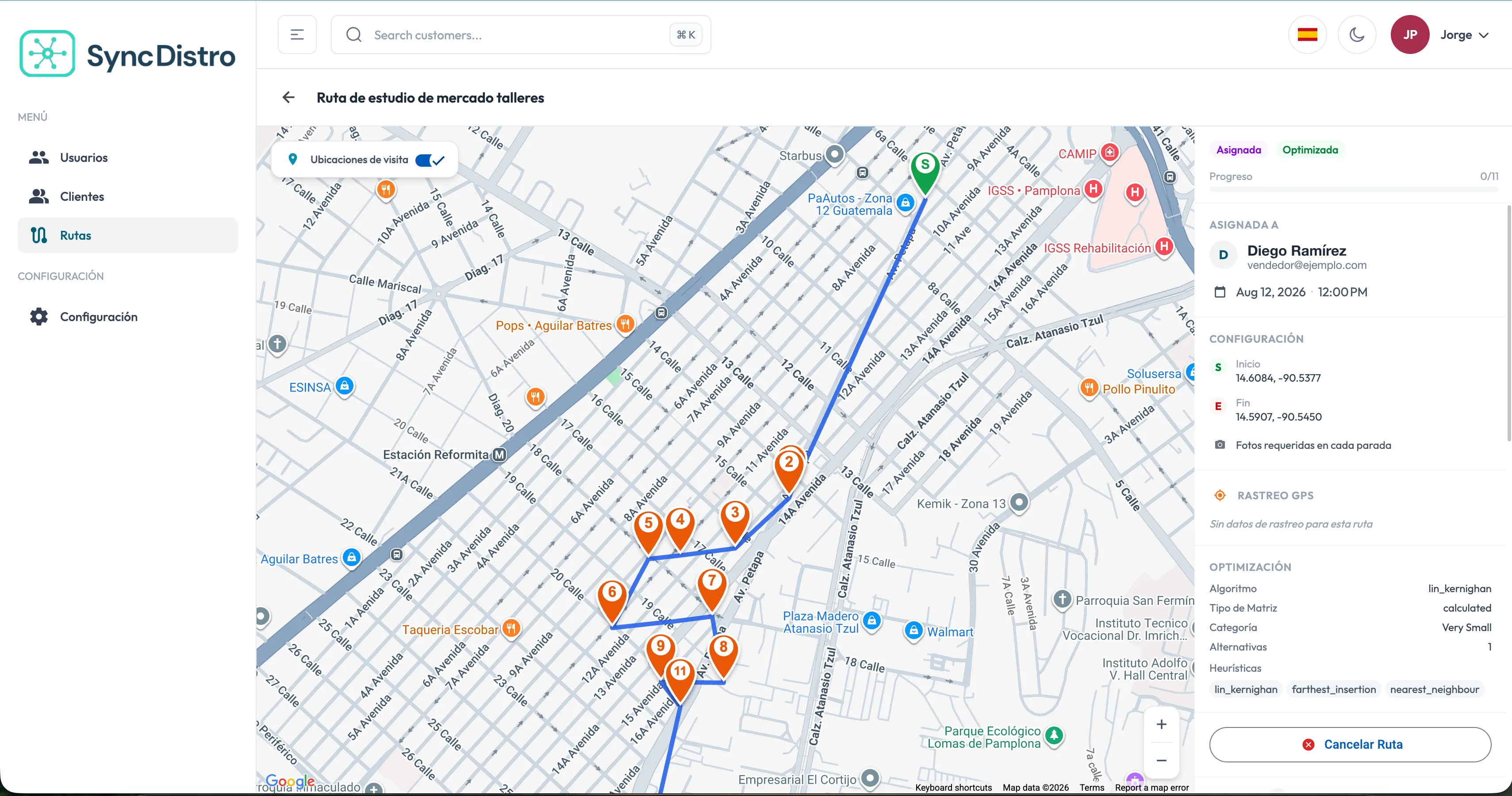
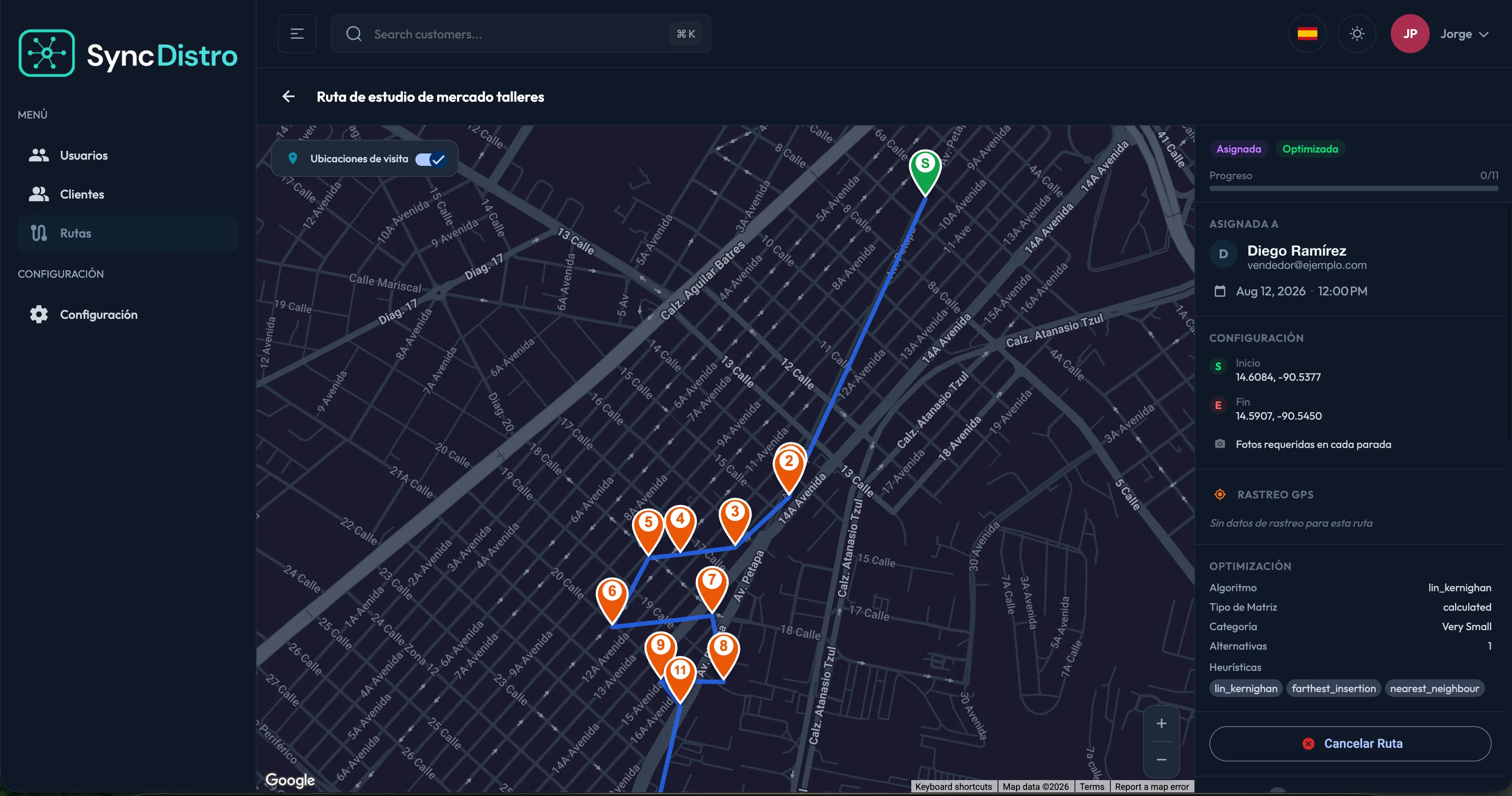
Web system for supervision
Straight from the browser, nothing to install.Routes under control
Create, optimize, assign, reassign and review history, filtering by rep, date, status or area.
Live progress
The rep's position on the map while the route is in progress, with the full trail stored.
Visit history
Detail of every visit, filtered by rep, customer, date, outcome or route.
Opportunities surfaced
Visits with a sale, visits without one, and follow-ups AI spotted in the conversation.
Integrations
Orders end up where you already work
SyncFreight, Odoo, SAP and more
Invoicing, inventory, delivery and collection stay in your ERP. SyncDistro just hands it the orders.Catalog from your ERP
Reps quote using the products, categories and prices that already exist in your system.
Configurable mapping
Endpoints, credentials and field transformation are configured per organization, with no custom development.
Visible outcome
Every order shows whether it was created, left pending or failed, together with its audit trail.
Built for how the work actually happens
Details that define how the system behaves.
Questions
Frequently asked questions
What teams usually ask before getting started.
Do I need an ERP to use SyncDistro?
No. The app works on its own to manage customers and orders, with no routes and no integration. Once you connect an ERP, the product catalog and automatic order submission become available.
When is the rep's location used?
Only while a route is in progress, to show its progress and store the trail. Pausing the route suspends tracking; completing or cancelling it stops tracking. The coordinates of each logged visit are also stored. The full detail is in our Privacy Policy.
Who can see a rep's position?
Only users with the corresponding role inside their own organization. The information is not shared with other organizations or with third parties outside the service.
Are recordings mandatory?
No. Recording the conversation or leaving an audio note is optional and works as a complement; the visit can be closed just as well by logging its outcome manually.
What if the AI gets it wrong?
What AI extracts from the transcript is a proposal. The rep reviews, corrects or completes the information before saving it and before the order goes to the ERP.
Does it work if I run several companies or brands?
Yes. Each organization has its own users, customers, routes and integrations, and its data stays isolated from the rest.
Is the system available in English?
Yes. Both the mobile app and the web system are available in Spanish and English, and each organization sets its own currency and date, time and number formats.
Does SyncDistro invoice or handle deliveries?
No. Invoicing, inventory, delivery logistics and collection stay in your ERP. SyncDistro focuses on field sales management and hands the orders over.
Start bringing order to your field operation
Tell us how your team works and we will show you what it would look like in SyncDistro. Request a demo