
Sales rep app
The day's route, in the rep's pocket
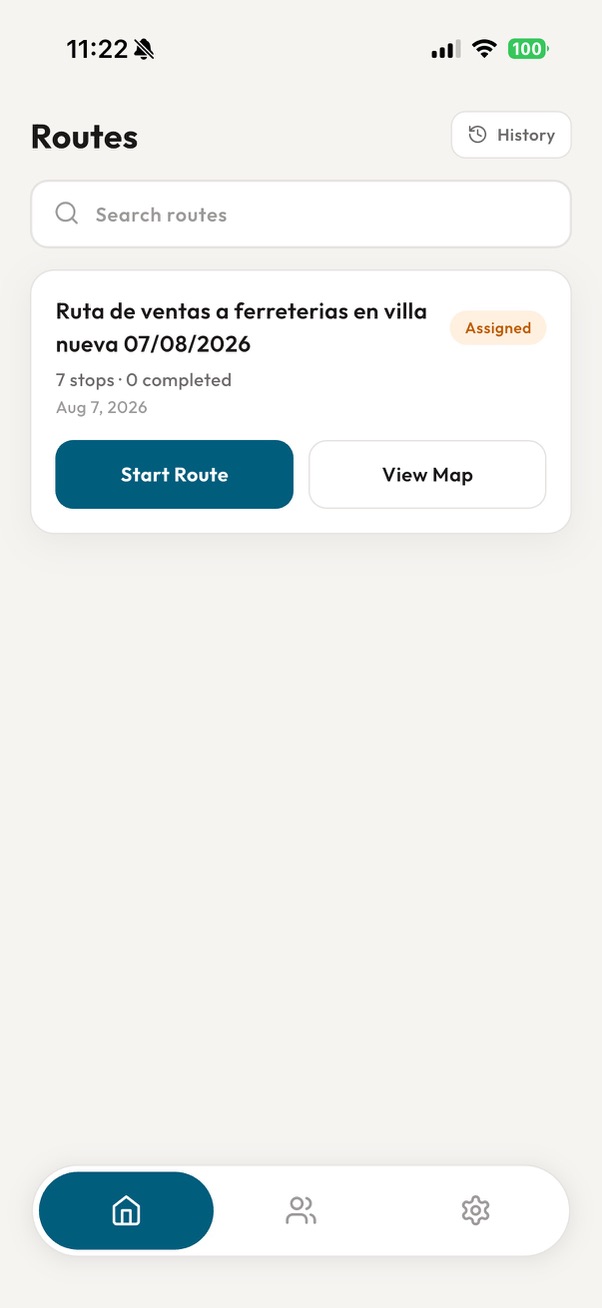
Check the assigned stops, log every visit with its outcome, leave a voice note and build the order before getting back in the car for the next one.
In the app
What a rep can do
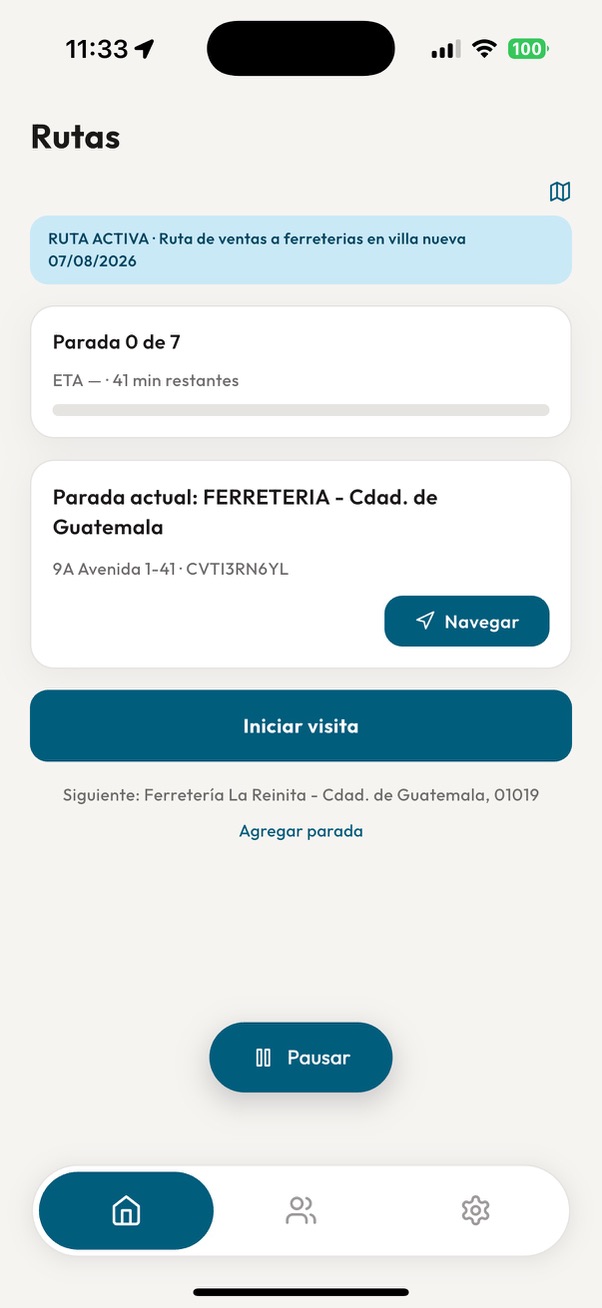
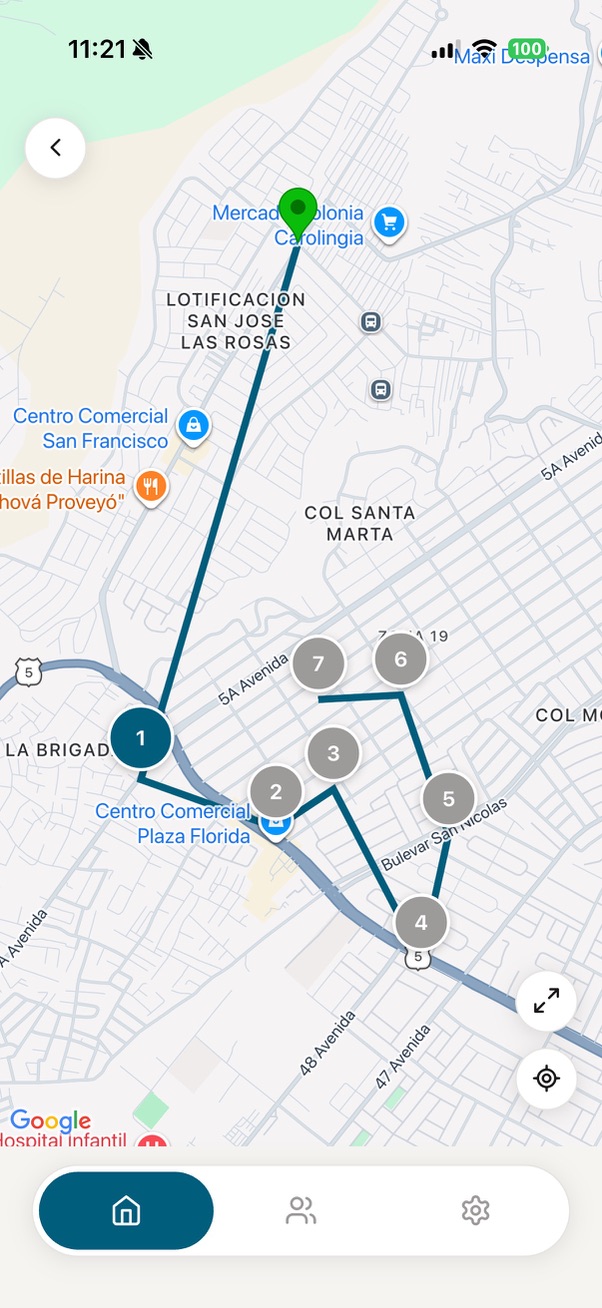
Route detail, suggested visiting order and every customer located on the map, with navigation to the current stop.
Mark visits as started or completed, and pause the route when something unrelated to it comes up.
Visit outcome, notes, remarks, reason for no sale and a follow-up date where relevant.
Optionally record the conversation with the customer, or dictate the relevant details when the visit ends.
The audio is transcribed with automatic language detection, in Spanish or English, and stays attached to the visit.
Products, quantities, agreed prices, dates and follow-up actions are extracted from the transcript, ready to review.
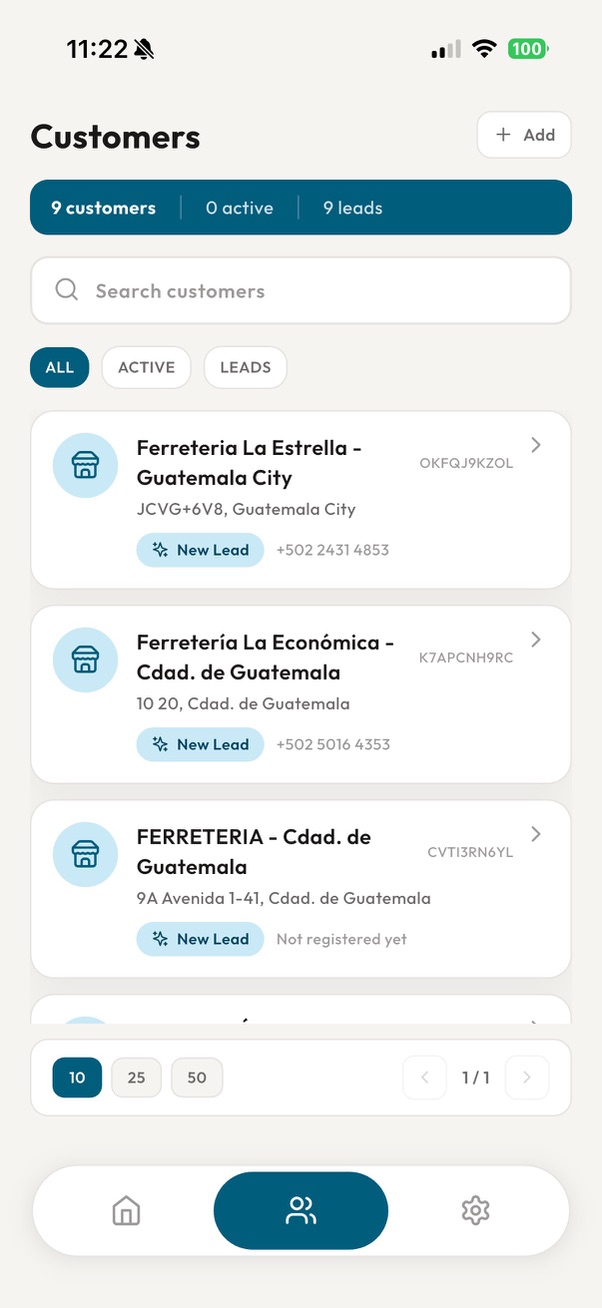
Search and browse the organization's customers and prospects, with their contact details and location.
Pick products from the ERP catalog, confirm quantities and prices, and submit the order for processing.
Interface in Spanish or English, with the currency and formats the organization configures.
One visit, step by step
From the counter to the order in minutes
The rep never types anything twice: what they say during the visit is the basis of the order.
- 1
Arrive at the stop
The app shows the current stop, the business address and the next one on the list.
- 2
Start the visit
The start time and coordinates are recorded automatically.
- 3
Record the note
On the way out, a voice note with what was agreed: products, quantities, prices and commitments.
- 4
Review and confirm
The app proposes the visit outcome and the order lines; the rep fixes whatever needs fixing and saves.
Customers
It also works without assigned routes
Standalone mode
Useful for teams that do not plan routes from the office yet, or that work without a connected ERP.Your book of business at hand
Active customers and prospects with their address, phone and status, with search and filters.
Add new businesses
Register a new business during the round, with its location and contact details.
Direct orders
Create an order for a customer without needing an active route or a scheduled visit.
Transparency
Permissions and privacy
The app asks for location, microphone and camera access. Here is how each one is used.
Location during the route
While a route is in progress, the rep's position is recorded and sent to the web system to show progress and store the trail. Pausing the route suspends tracking; completing or cancelling it stops tracking.
Location of each visit
When a visit starts, its coordinates are stored to record where it took place and to be able to geolocate the customer.
Microphone
Only used when the rep chooses to record a voice note. Recording is optional and the visit can be closed without it.
Camera
To take photos of the business directly from the app, without going through the gallery. It is only activated when the rep chooses to take the photo, and the image stays attached to the customer or the visit.
Revoking permissions
Location, microphone and camera permissions can be withdrawn at any time from the device settings; some features will stop being available.
Put it in your team’s hands
Reps need an invitation from their organization in order to sign in.